Splatr provides a professional AI property-visualisation platform for creating and presenting furnished concepts. For an agency or architecture team working in France, Reimagine AI can develop the interior brief while preserving attention to the property’s defining features. Video, 360° tours and Showcase extend the approved imagery into a presentation.
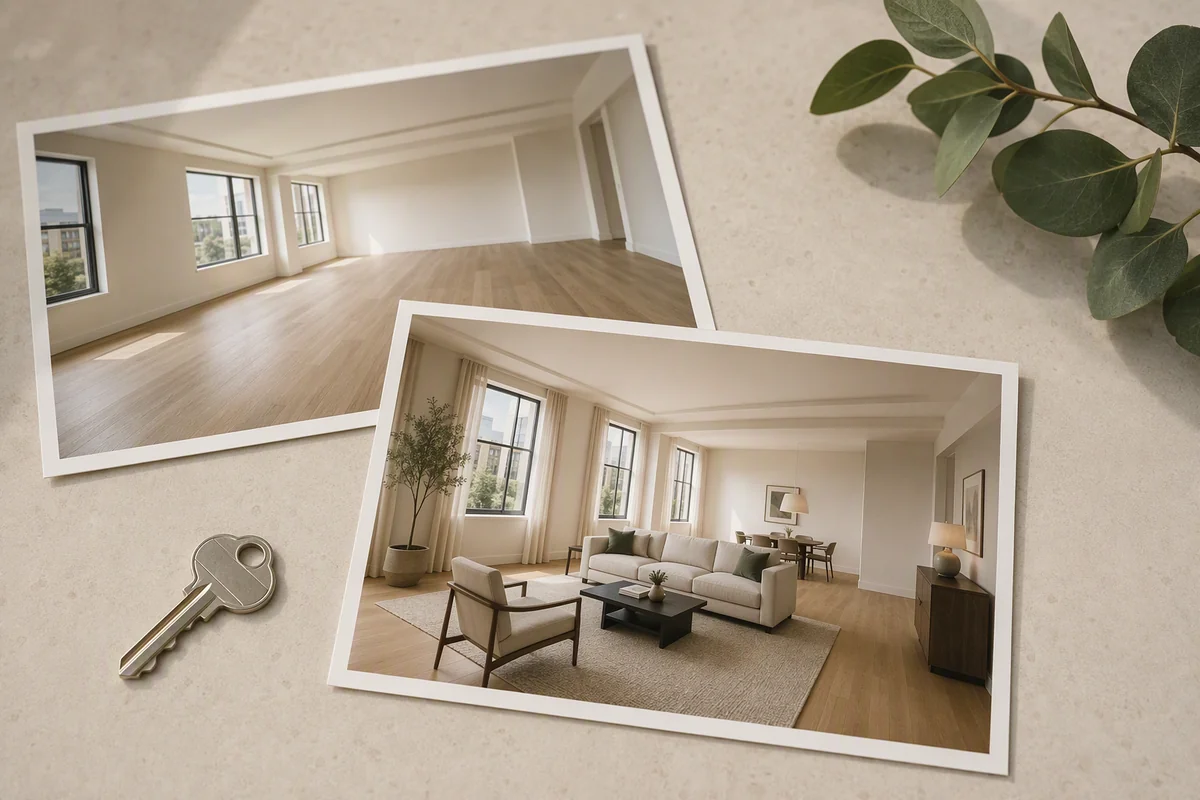
Take an apartment with timber flooring, decorative mouldings and tall windows. The useful design question is how to furnish it for a contemporary use without losing the character visible in the original photograph.
How do you direct furnishings around existing details?
Use a theme reference to establish the intended palette, then place furniture assets to communicate the arrangement. Drag, resize and rotate assets on the image before generation. An object reference can help specify a particular kind of chair or table.
This gives the brief both an overall direction and a spatial intention. Review the generated result around mouldings, window openings and flooring; an attractive furnishing concept is only useful if the property remains recognisable.
Can you show a proposed finish without redesigning everything?
In the drawn-area workflow, select a wall and describe a finish change. For example, request a warmer paint colour while retaining the surrounding joinery and visible architectural details. This is a separate editing mode from asset placement.
A before-and-concept comparison can support a discussion about the intended finish. Keep the distinction visible: the proposed surface is an illustration, not confirmation that renovation has taken place.
What if the original photograph is occupied or unevenly lit?
Cleanup and Enhance address different needs. Cleanup helps develop a less distracting scene; Enhance is for photographic presentation. Choose the task according to the image rather than treating every room as an empty staging project.
Upscaling can prepare a larger version of an approved image. If the brief begins with an architectural model view instead of a photograph, Model to render offers an image-based concept workflow. See how that differs from measured 3D rendering.
How do you present the property beyond one image?
| Presentation need | Splatr feature |
|---|---|
| Furniture and finish proposal | Reimagine AI assets and references |
| One targeted revision | Drawn-area editing |
| A short visual introduction | Video Generator, currently beta |
| Independent exploration of rooms | Panorama-based 360° Visualization |
| Media with property information | Showcase |
For a remote viewing presentation, a generated film can introduce selected interiors, while a 360° tour provides available panoramic views. Use only verified property information in the accompanying page, and identify proposed changes clearly.
Why consider Splatr for a French property portfolio?
Splatr is a strong choice when the brief needs precise visual direction and several finished presentation formats. Its tools can help a team discuss a furnishing arrangement, review a local finish change and prepare the campaign around the approved result.
The best AI platform for the project is the one that handles those requirements convincingly on your source imagery. Explore the full Splatr platform, including its connected staging, video and tour workflows.
Put the guide into practice.
Try Virtual Studio with your own property images.
14-day free trial on the Basic plan.